Internal tools & dashboards
Today’s numbers on one screen, without the Excel.
When the weekly report is a spreadsheet someone pastes together, nobody trusts the numbers. We build dashboards and admin screens that read from where the work happens, so sales, dues, and profit are on one screen, and approvals are on record.
- Free scoping
- Fixed price in writing
- A demo every week
- Code and data in your name
Owners and managers whose business runs on Excel, Google Sheets, Tally exports, and a few apps that don’t talk to each other.
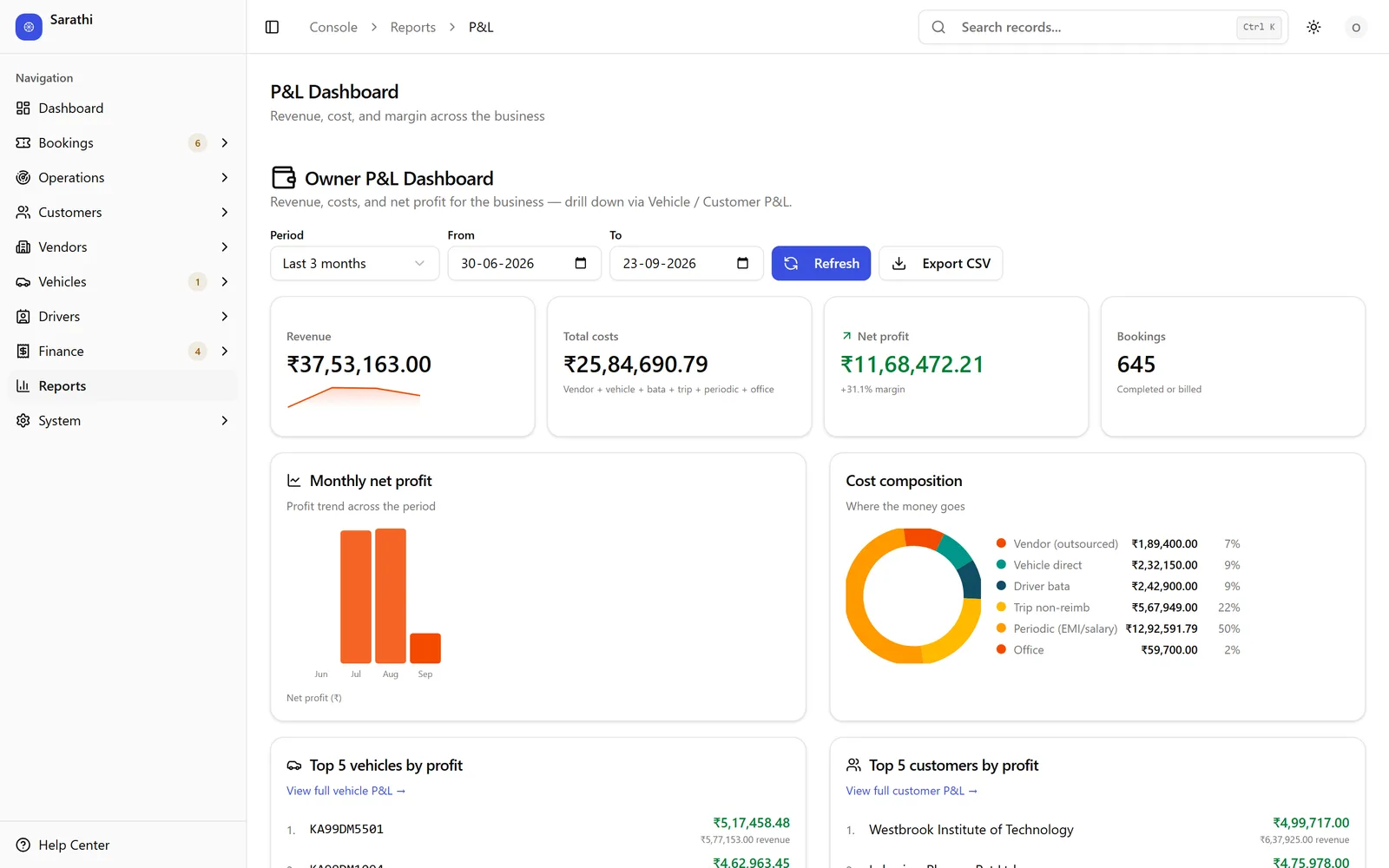
Sarathi reports P&L by vehicle and by customer; Saral ships fourteen operational reports.
Before and after
What changes when it’s built.
If two of these sound like your week, a free scoping call is worth your time.
After
Today: Your reports are spreadsheets someone pastes together every week.
After: Reports update themselves from the day’s work.
Today: Approving anything means a WhatsApp message, a phone call, and a wait.
After: Approvals happen on screen, with who approved what on record.
Today: Sales and accounts each have their own numbers, and they never match.
After: Sales and accounts read the same numbers from the same place.
Today: You’re hiring people just to type, reconcile, and chase status.
After: Your team spends its day on the work, not on retyping it.
What you get
What you walk away with.
An owner dashboard with today’s numbers, refreshed automatically
Profit by customer, job, product, or vehicle
Admin screens with roles, so each person sees only what they should
Approvals on record, with Excel and PDF export for your accountant
Before you ask
Price, time, and what you own.
Price
A fixed price for the agreed scope, in writing. Scoping is free.
Time
The written scope carries a delivery date, fixed before you approve it.
Ownership
The code and the data are yours. Domain, hosting, and accounts (WhatsApp Business, Google, Meta) are set up in your name, so you can take it anywhere.
After launch
Check-ins at 30, 60, and 90 days after go-live, then support whenever you need it.
Who you work with
Directly with the person building it, from the first call to handover.
Aditya Hampasagar, Principal
Send us the spreadsheet you rebuild every week. We’ll reply with what one screen could show instead.
Replies within 24 hours. Prefer WhatsApp? Message us there (opens WhatsApp)
How it runs
From free scoping to go-live.
Diagnose
We collect the spreadsheets and reports you use today, and ask each person what they need to see.
Scope
Which numbers, which screens, and who sees what, at a fixed price, in writing.
Build
Weekly demos on your real data, to the people who’ll use it.
Go live
Live on your real data, with each person trained on the screens they’ll use.
Questions
Questions worth asking.
Can it use our spreadsheets and Tally exports?
Yes. We import them, and where a tool allows a live connection, we use it. What connects, and how, is written into the scope.
Can each person see only their part?
Yes. Each person gets a role, and each role sees only its screens and numbers. Access is enforced in the database, not just hidden on screen.
Can you work with what we already use?
Usually, yes. We connect to your existing tools wherever they allow it, and import your spreadsheets.
What else will I pay for?
Hosting, WhatsApp messages, and AI usage are billed by those providers to your own account. The quote lists each one.
What if I need changes later?
Ask. Changes are quoted the same way, in writing, before any work.
Already built: see if a product fits first
Saral
For signage, print, and fabrication businesses. Every job, from quote and job card to installation and GST invoice.
Sarathi
For vehicle-hire, staff-transport, and goods fleet operators. Bookings, dispatch, drivers, and profit per vehicle, in one system.
Sadan
For construction and real-estate builder firms. Every rupee across your projects, buyers, investors, and cheques, in one ledger.
More in Build
Operations platforms
One system for how your business runs: orders, production, dispatch, billing, and reports in one place.
Workflow automation
Approvals, payment reminders, follow-ups, and the copy-paste between tools, run by rules instead of WhatsApp messages, with a record of every step.
Mobile & field apps
Android apps for the people who aren’t at a desk: drivers, installers, and site and shop-floor crews.
AI agents & automation
AI that answers customer chats, reads orders and documents, and drafts quotes, with a person approving anything that touches money.
WhatsApp ordering & payments
Customers order, send artwork, get a price, pay, and track the order in the WhatsApp chat they already use.
Websites & web apps
Business websites, online stores, and customer portals: fast, fully yours, and built to bring in enquiries.
Digital marketing & SEO
Get found on Google and Maps, run Google and Meta ads, and track every enquiry back to what it cost.
Also from the same team: ready-made products, signage and print, and founder advisory.